Evernote Corporationは、メモやWebページのスクラップ、テキストなど各種情報を整理する仕事効率化アプリ「Evernote」をアップデート、Mac向け最新バージョン「Evernote 11.42.3」をリリースしました。
 今回のバージョンアップでは、テーブルヘッダーの列を固定し表示したままにできるようになるなどの機能追加や、いくつかの修正がおこなわれています。
 Evernote 11.42.3 (無料)

カテゴリ: 仕事効率化,ユーティリティ
販売元: Evernote Corporation – Evernote Corporation(サイズ: 248.40 MB)
全てのバージョンの評価: (0件の評価)
「Evernote 11.42.3」の新機能
Features:
– Keep your table headers in view: freeze columns so they stay visible as you scroll horizontally.
– Reactions are here: select any text, pick an emoji from the inline toolbar, and everyone with access to the note can react.
– Meeting recordings started from notifications are saved in a note titled with the meeting’s date and time, so you always know which call it was.
Fixes:
– Templates: additional import fixes.
– After verifying your email via a shared notebook invite, you go directly to the notebook you were trying to open.
– Transcribing an image immediately after adding it no longer fails with a generic error.
– Hovering over the disabled transcript button on an audio recording now explains why there is no transcript and lets you enable automatic transcription.
– A table’s horizontal scrollbar now appears only when the table overflows.
– On touchscreens, tabs and filter chips no longer remain highlighted after you tap them.
スクリーンショット


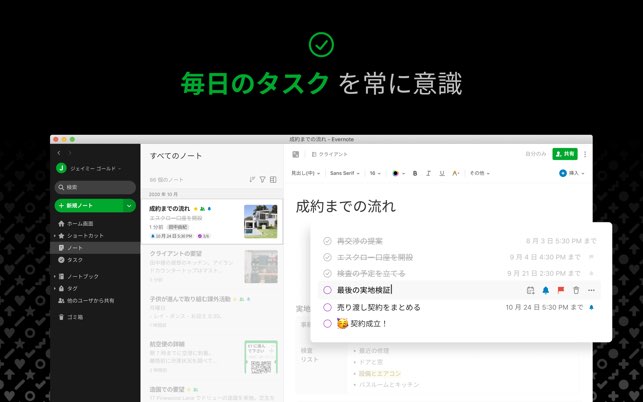

Evernote 11.42.3 (無料) カテゴリ: 仕事効率化,ユーティリティ
販売元: Evernote Corporation – Evernote Corporation(サイズ: 248.40 MB)
全てのバージョンの評価: (0件の評価)

最新記事 by Staff (全て見る)
- 「X 12.44」iOS向け最新版をリリース。 - 2026年11月15日
- 「Google フォト 8.1.0」iOS向け最新版をリリース。 - 2026年11月15日
- 「B612 – 日常をもっとおしゃれにするカメラ 15.5.1」iOS向け最新版をリリース。 - 2026年11月15日